
AutoReel — Scattered Clips to Finished Ads
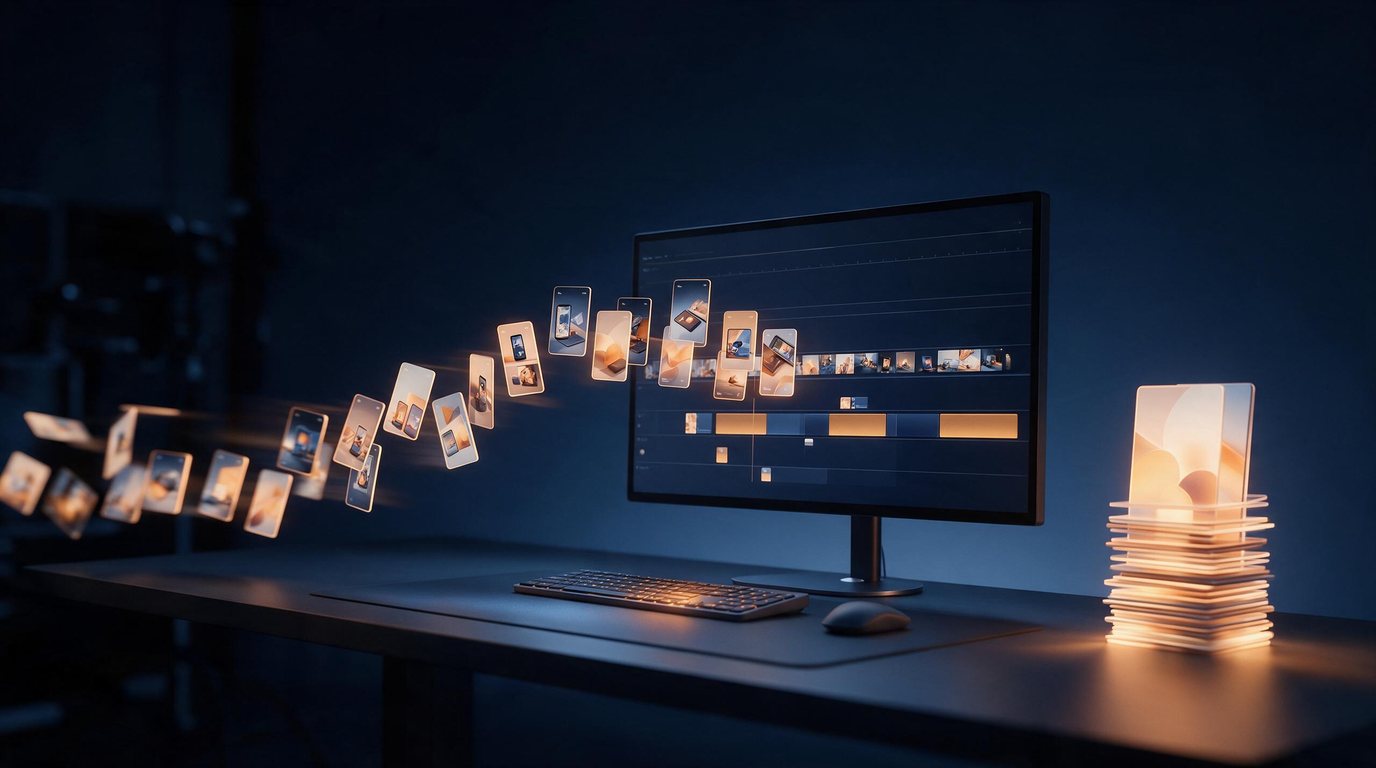
Put in a folder of raw footage. Get back a batch of ads ready to post.
Drag in a whole folder of phone videos and product photos. Write one line about what you sell. Then go do something else. When you come back, a batch of finished ads is waiting. They are cut, set to music, voiced and subtitled.
Already have a finished ad? Drop it in and pick a target language. Only the voiceover, the spoken narration, is replaced. Every frame stays the same. Each line is spoken at its original timing. English and Spanish work today.
Download
Windows 10 / 11 (64-bit)
Version 1.0.2 · 123 MB
File fingerprint (SHA-256): 0d9a9cc5e1b0b7688446f56d2db19d767f7a35a976b6f6bf972c1b99067d1918
macOS
Not available yet
Before you install
- The app's screens are in Simplified Chinese.
- The first time you open it, Windows may show “Windows protected your PC”. Click “More info”, then “Run anyway”. We are still getting our code-signing certificate, a digital ID that shows who made a program. Windows shows this message for any new program that does not have one yet.
- Anyone can download the app. It is switched on (activated) one computer at a time. Open it and fill in the short form on the first screen. We switch it on the same working day.
- You need an internet connection to make ads. A normal office laptop works. A desktop computer is faster.
Docs
Step-by-step guide and what changed in each version
Screenshots
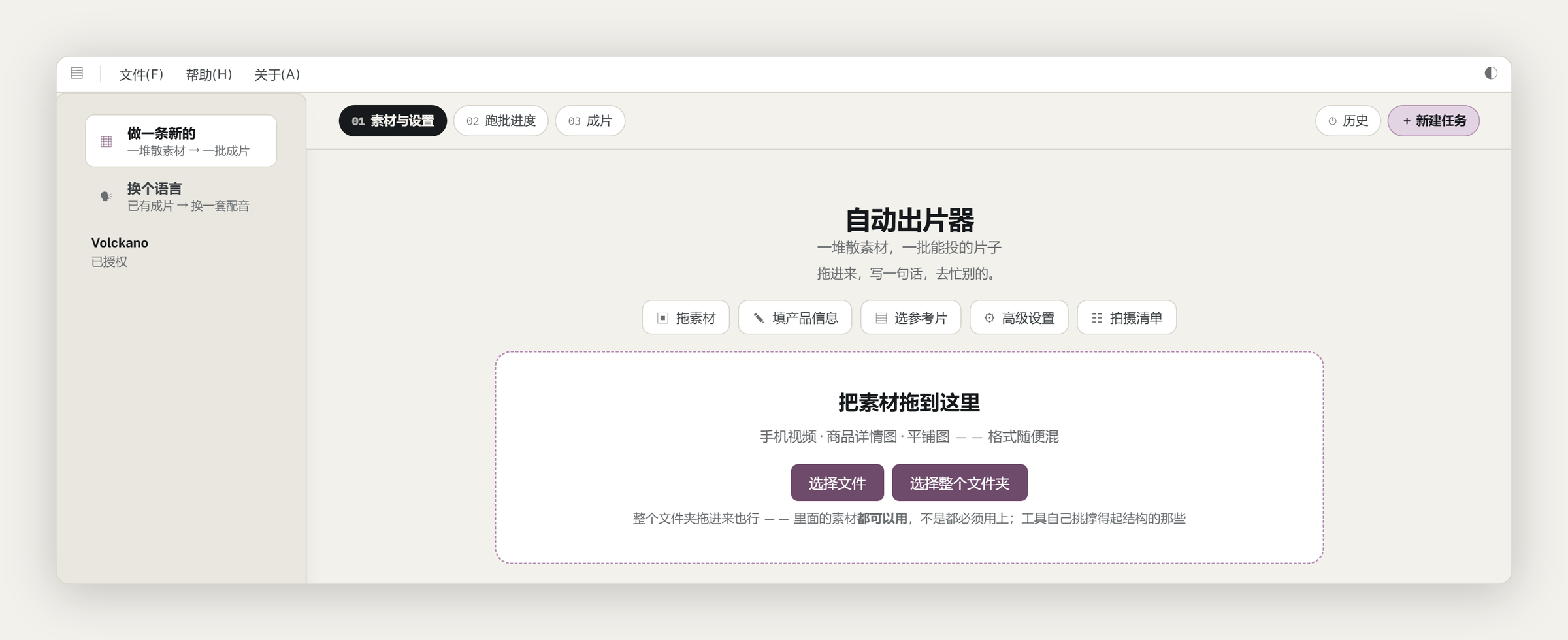
Main screen: pick what to do, then drop footage in. A real screenshot of the released version.
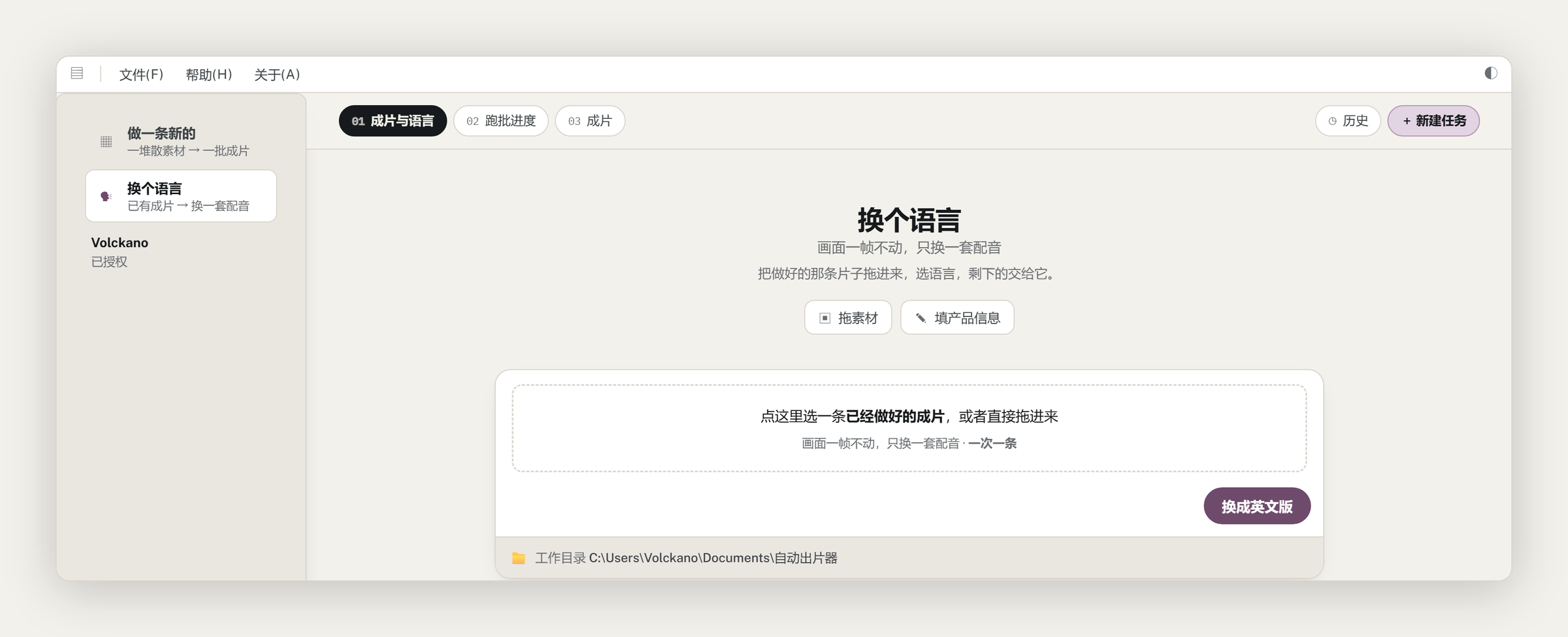
Re-voice screen: drop in a finished ad and pick a language.
Ready to Get Started?
Contact us to discuss your specific needs and learn how we can help transform your business.